We're here to help
Bookmark restaurants
- Choose the cities
- Insert the restaurant in the search engine
- Click the related restaurant page
- Click The Bookmark Icon
- Choose the categories and also can choose the list for "Public" or "Private"


- Click the Region at the left head concern
- Choose the cities and click "X"
- Click the search bar
- Insert the restaurant in the search engine and click "Search"
- Click the Bookmark Icon
- Choose the categories and also can choose the list for "Public" or "Private"
- The Restaurant has been added to the bookmark list successfully


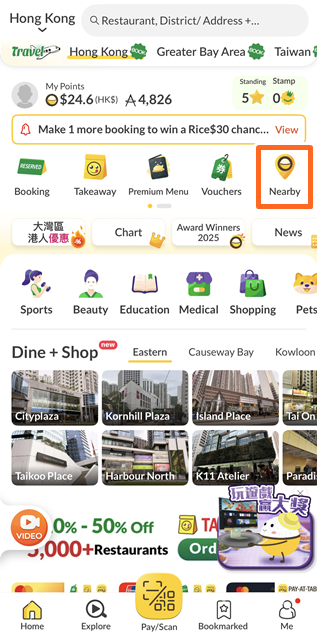
My nearby restaurants
Open now restaurants
- Click"Advanced"
- Click"Open Now" and click "Search Now"
- The list of opening restaurnats are shown form the list


- Click the search bar
- Click"Advanced Search"
- Click"Open Now" and click "Search Now"
- The list of opening restaurnats are shown form the list


Accessible Restaurants
- Click"Advanced"
- Click"More"
- Click"Accessible Environment" and click "Search Now"
- The restaurant list provide accessible environment are shown form the list


- Click the search bar
- Click"Advanced Search"
- Click"More"
- Click"Accessible Environment" and click "Search Now"
- The restaurant list provide accessible environment are shown form the list


How to use online booking promo code?
- Please select restaurant and time slot for booking
- Inert the promo code and click"Apply"
- The promo code has been applied on the order instantly


- Please select restaurant and time slot for booking
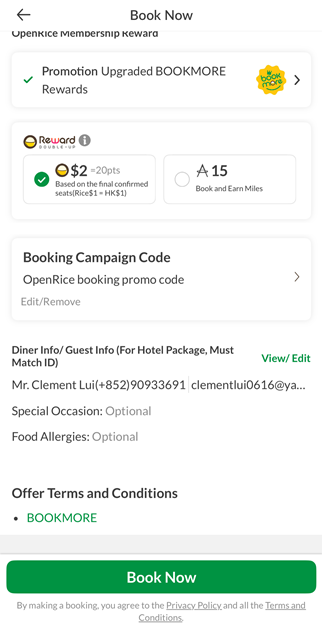
- Click"Enter Booking Campaign Code"
- Inert the promo code and click"Apply"
- The promo code has been applied on the order instantly