We're here to help
What is Rice Dollars?
Which restaurants offer vouchers?
- Click "Voucher"
- Click "Filters"
- Apply ‘Filters” function and click "Search Now" and the result will be displayed


- Click "Voucher"
- Click "Filters"
- Apply ‘Filters” function and click "Search Now" and the result will be displayed


How to buy vouchers?
- Click "Voucher"
- Select a voucher and click "Buy"
- Choose the quantity of the vouchers and click "Checkout"
- Select the Rice dollar redeem acmount if needed and click "Continue"
- Choose the payment method and click "Continue"
- Check for the amount to pay and click "Pay" afterward
- Vouchers are bought successfully! "Vouchers" are saved and you can use them before they expired, If payment is declined and transaction cannot be completed, please try to purchase again after 15 minutes


- Click "Voucher"
- Select a voucher and click "Buy"
- Choose the quantity of the vouchers and click "Checkout"
- Click "Pay" after selecting payment method and confirming the bill
- Vouchers are bought successfully and saved at OpenRice Mobile Web or App for using before expired! If payment is declined and transaction cannot be completed, please try to purchase again after 15 minutes


Where can I find my purchased vouchers?
- Click"Me"
- Click"Vouchers"
- The purchased voucher(s) will be displayed here


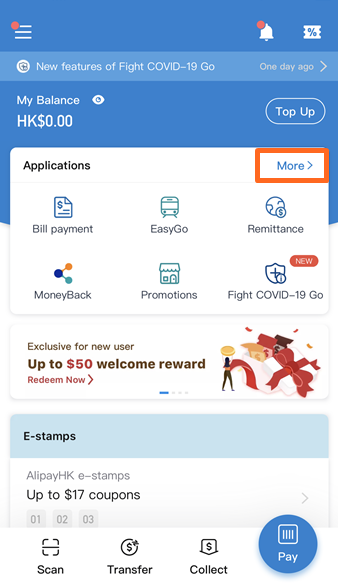
- Under “Applications” on the app landing page, select “More”
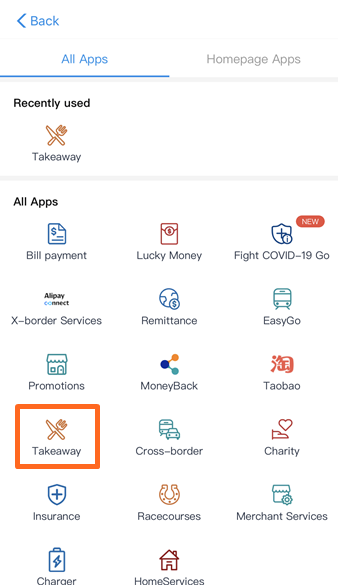
- Select “Takeaway”
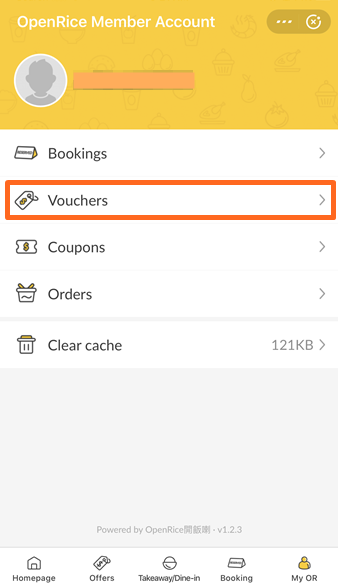
- Go to "My OR"
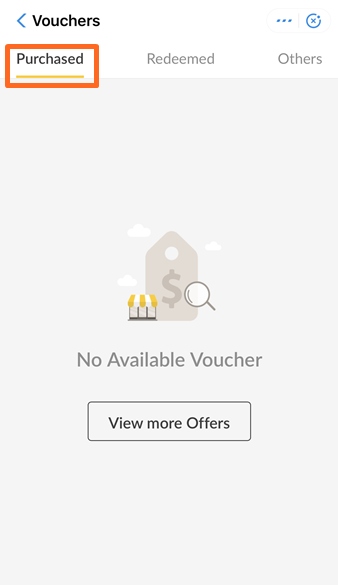
- Select "Vouchers"
- Find the vouchers under "Purchased" sessions
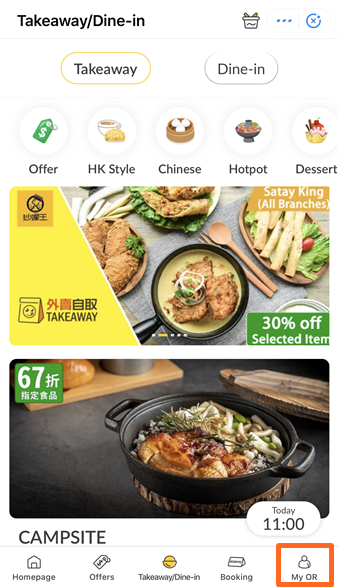
- Select “Coupon” on the app landing page
- Set the location to “Hong Kong, China’ and select “Takeaway”
- Go to "My OpenRice"
- Select "Vouchers"

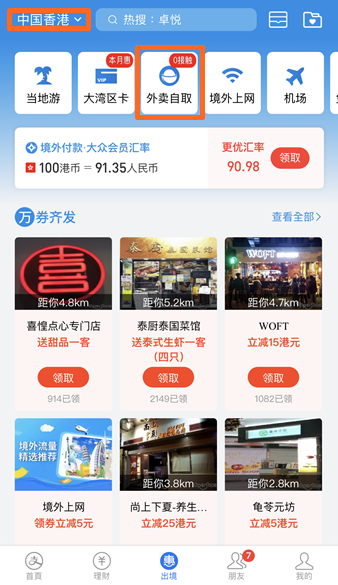


- Move to the Profile icon
- Click"My Voucher"
- The purchased voucher(s) will be displayed here


How to use my vouchers?
- Click"Me"
- Click"Vouchers"
- Choose the vouchers you want to redeem
- Show the QR Code to the restaurant staff (No hard copy is needed)


Restaurant cannot scan my vouchers?
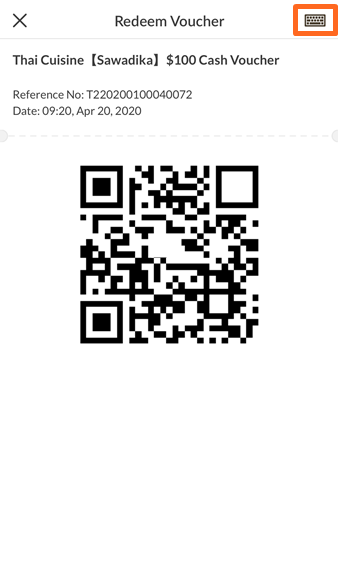
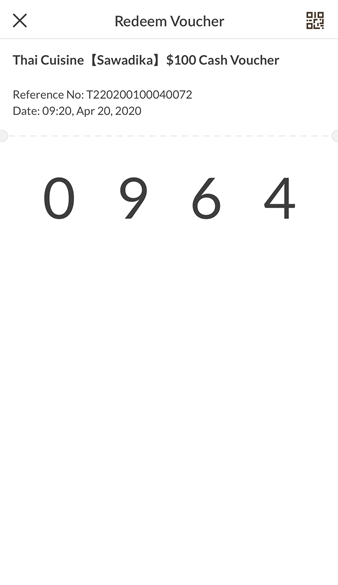
- Try adjust the screen brightness level to the maximum before showing QR code to restaurant staff, or click the keyboard icon at the top right corner of voucher redemption page for switching QR code to numbers
- Show the numbers to restaurant staff again
Can I give the vouchers to others?
What payment method can I use?
Do I need to store my credit card information in external payment application?
What currency does Alipay use to settle my payment?
How to use Rice Dollars for voucher?
How to use Rice Dollars for voucher?
*Please update OpenRice APP to 6.0 or above
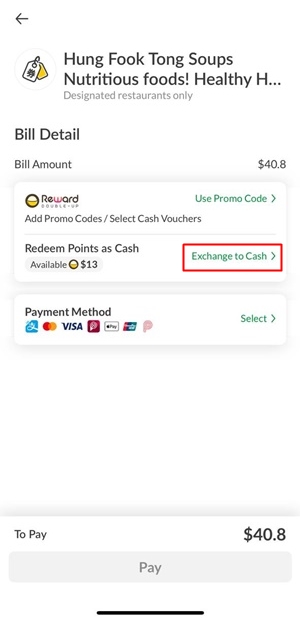
- Choose the voucher then click "Exchange to Cash" under Redeem points as Cash option
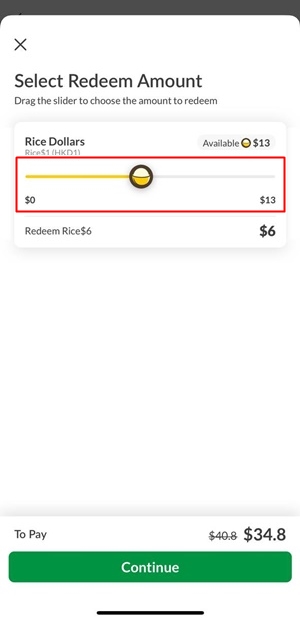
- Drag the slider to choose the amount to redeem and click "Continue" the payment flow